FakturaM Backup backups of SQL Server databases
Backs up the SQL Server databases of FakturaM and other programs into zip files on a schedule, keeps them in a folder and on Google Drive, and restores any of them in a few clicks, also from old Cloud Backup Robot backups.
Free (freeware) Version 0.1.2 · Windows 10 and 11, 64-bit
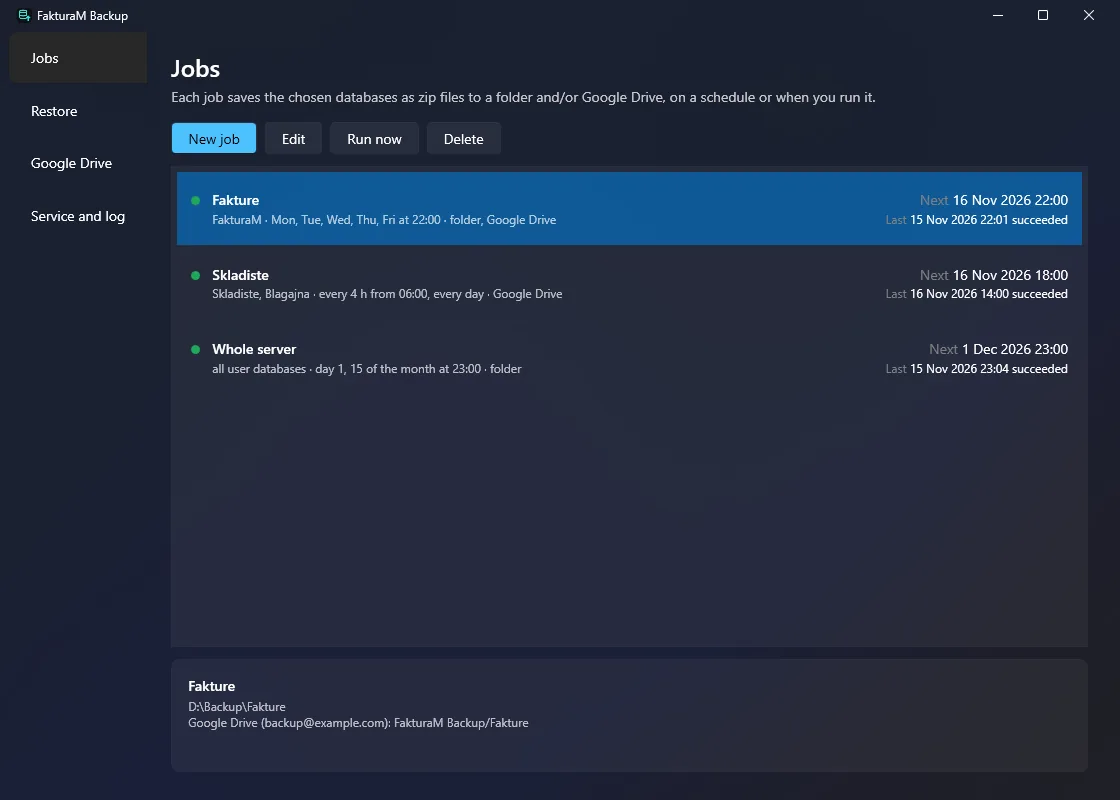
Jobs on a schedule
A job says which databases to back up, where to keep them and when. Run it daily at set times on chosen weekdays, on set days of the month, or every few hours. A Windows service does the work, even when nobody is signed in, and makes up a backup the computer missed while it was off.
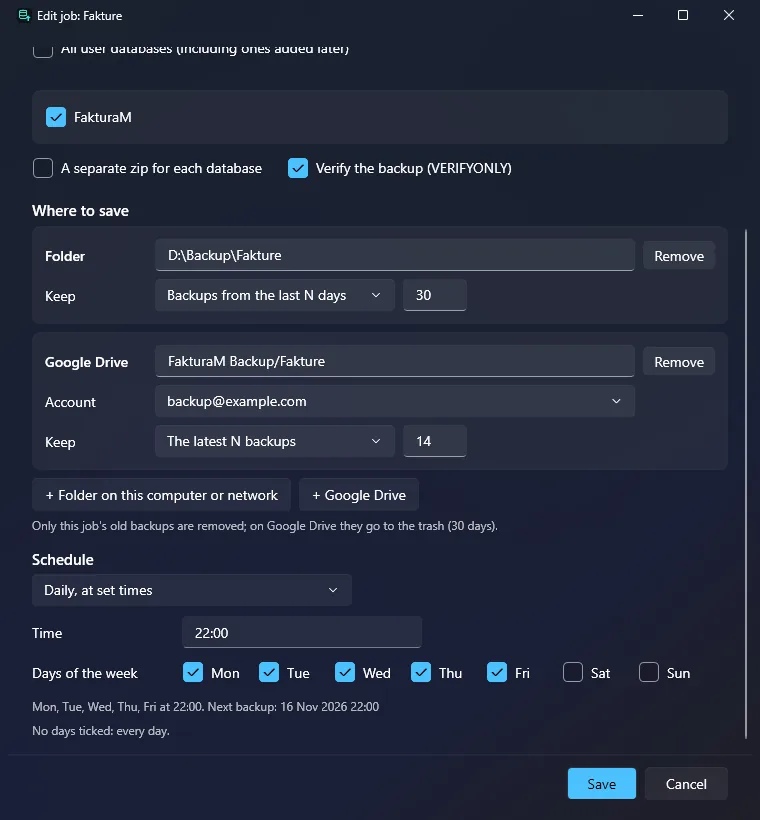
A folder and Google Drive, each with its own rule
Save the same backup to a folder on the computer or network and to Google Drive. For each place, choose how long to keep backups: all of them, only the latest, the latest N, or the last N days. Old backups of that job are removed automatically; on Google Drive they go to the trash.
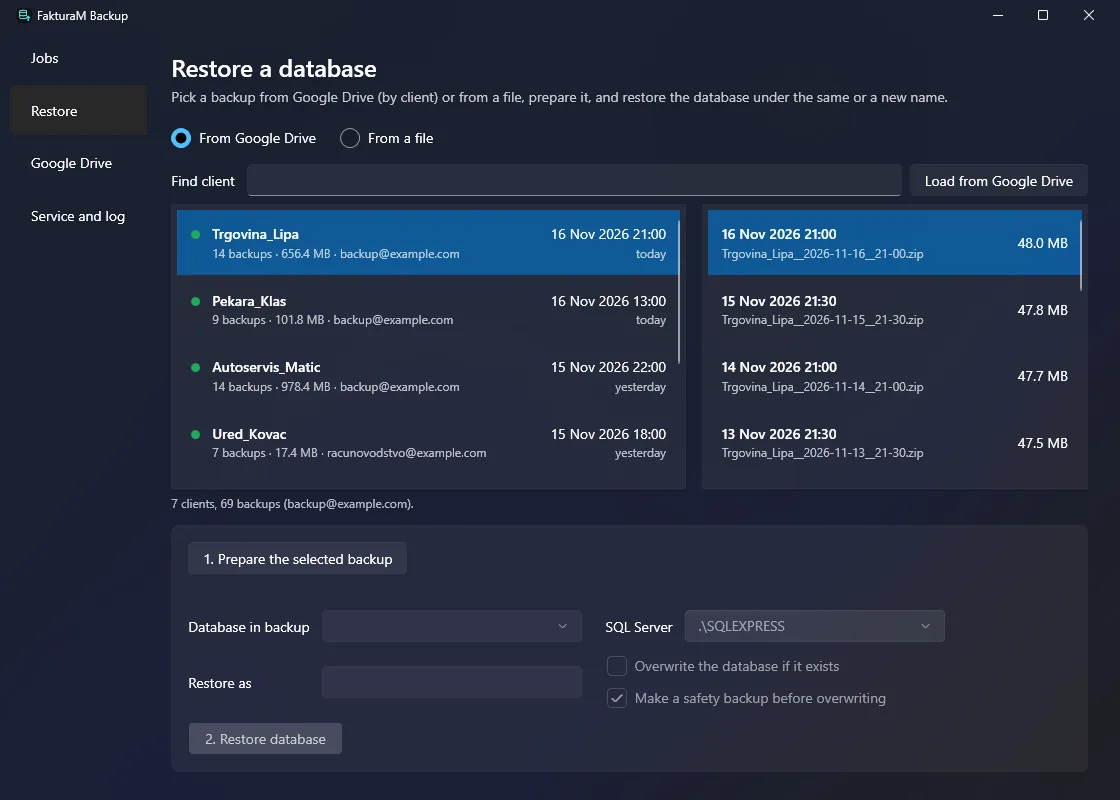
Find any client's backup in seconds
Link one or more Google accounts. FakturaM Backup searches every backup the accounts can see, including folders other people shared, and lists them by client, newest first. A coloured dot shows at a glance whose backups have stopped arriving. Pick one and restore it under the same or a new name.
Runs quietly, reports clearly
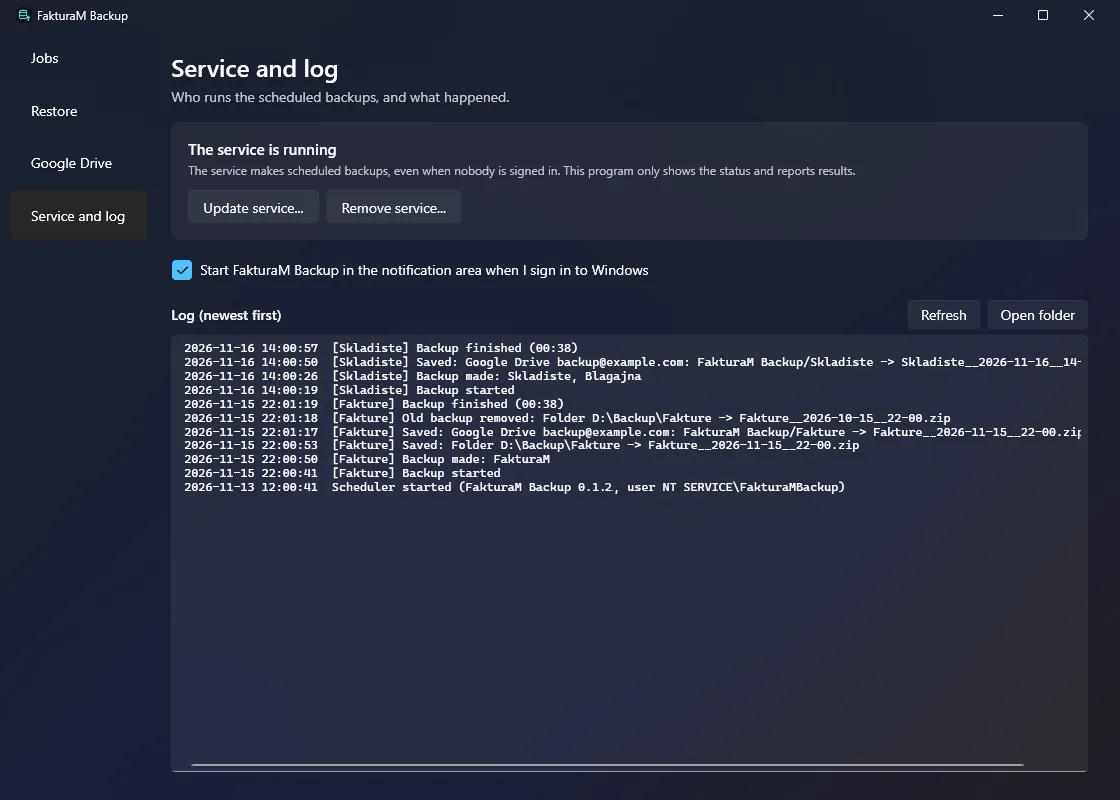
The program sits in the notification area and shows a message when a backup finishes or fails. The log records every backup, upload and removed old backup. Install or update the service from the program.
Details that matter on the day you need a backup
Restore without surprises
Before an existing database is overwritten, it is backed up first. Backups from the computer's own SQL Server version or older can be restored.
Old Cloud Backup Robot backups
Zips made by Cloud Backup Robot are recognised and restored the same way.
Checked backups
SQL Server checks each backup; every zip carries a SHA-256 checksum that is verified on restore.
Leaves other backups alone
Copy-only backups do not disturb backups made by other tools.
Network trouble
An upload that fails because of the network is retried after 30 seconds, 2 and 5 minutes.
English and Croatian
The program follows the language of Windows.
Free download
One installer for Windows 10 and 11 (64-bit). Nothing else to install: the .NET runtime is included.
Step by step: user guide (also as PDF)
- Version
- 0.1.2, 16 November 2026
- File
- FakturaMBackup-Setup-0.1.2.exe, 52.5 MB
- Licence
- Free (freeware), under the terms of use
- Signature
- Digitally signed installer (code signing)
- SHA-256
- bce1d1d6c3b2a035d5555722c0c2535fcde130d1b4458b2b5fc213e78e5cefbd
- Needs
- Windows 10 or 11 (64-bit), SQL Server (Express is fine) on the same computer, administrator rights to install. For Google Drive: a Google account.
Download and run
The installer is digitally signed. It needs administrator rights.
Keep the service
Leave "Install the background service" ticked so scheduled backups run without anyone signed in.
Create a job
Choose the SQL Server, the databases, a folder and the schedule.
Add Google Drive if you want it
On the Google Drive tab, click Link Google account and sign in. That is all: nothing to set up in Google.
Questions about FakturaM Backup
Is FakturaM Backup free?
Yes. For now it is free to download and use (freeware).
Does it replace Cloud Backup Robot?
For SQL Server databases, yes: backup to zip, schedule, retention, a folder and Google Drive, and restore, including from old Cloud Backup Robot zips. It does not back up ordinary files.
Does Beštek receive my data?
No. The program runs on your computer and data goes only to the folders and Google accounts you choose. See the privacy policy.
Does it work with SQL Server Express?
Yes. SQL Server must run on the same computer as FakturaM Backup.
What if the computer was off at backup time?
The missed backup is made once, as soon as the computer is on again.
Is there a user guide?
Yes: the user guide covers installation, jobs, Google Drive, restore and troubleshooting, also as a PDF. The program opens it from the notification area icon.
Talk to us
Questions about FakturaM Backup? Call or write to us.